Antora Single Site Manager (ASSM)
Core Purpose
-
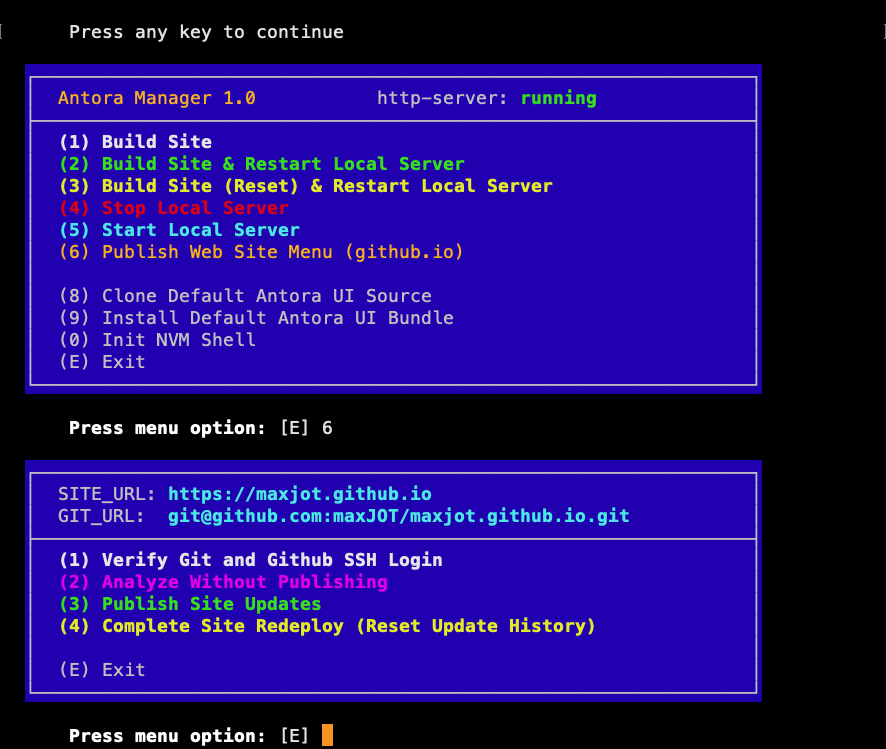
Manage a single Antora site from build to publish
-
Provide both interactive menu mode and command-line option mode
-
Reduce common deployment pitfalls and configuration errors
Environment & Safety Controls
-
Verifies Bash ≥ 4
-
Performs self-checksum integrity validation
-
Prevents source execution of the script
-
Detects OS (macOS/Linux) and adapts behavior
-
Uses enhanced terminal UI (colors, boxed menus, protected input)
Configuration Management
-
Automatically creates and manages:
-
site.conf -
git.conf -
postproc.sh -
readme.txt
-
-
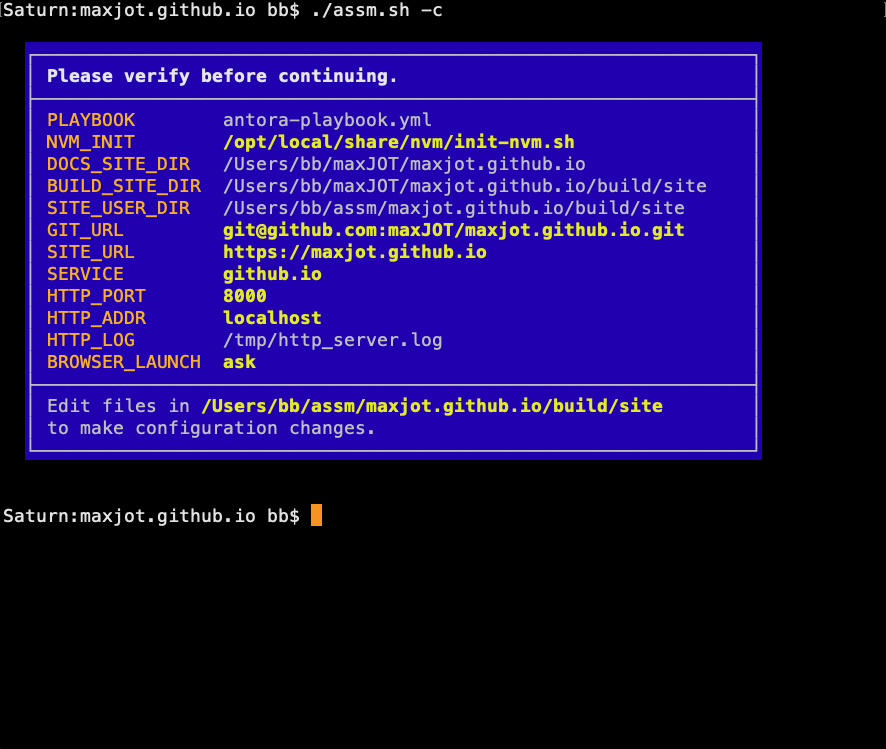
Extracts Antora playbook settings
-
Parses custom
output:sections (usesyqif required) -
Builds absolute paths for the site output directory
-
Provides configuration verification screen before execution
Antora Build Features
-
Builds site via
npx antora -
Supports:
-
Standard build
-
Reset build
-
Build + restart local server
-
-
Detects missing
.gitrepository and offers to initialize one -
Enables optional LiveReload integration
-
Supports
ANTORA_DEVmode for local development
Local Development Server Management
-
Starts and stops:
-
http-server -
livereload
-
-
Detects and kills existing processes by port
-
Writes log files for both services
-
Automatically opens browser (configurable: yes / no / ask)
Git & GitHub Publishing (github.io)
-
Verifies Git version requirements
-
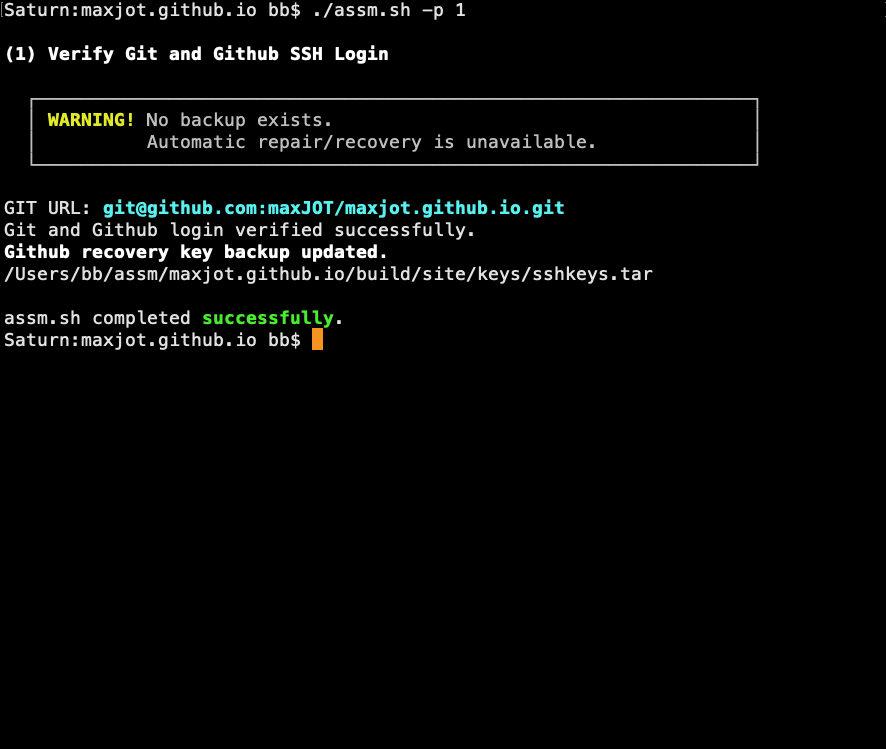
Validates GitHub SSH connectivity
-
Restores missing SSH keys from backup archive
-
Maintains backup of working SSH keys
-
Protects
.gitfromantora --cleanby:-
Relocating repository outside build directory
-
Creating symlink back into generated site
-
Publishing Enhancements
-
Temporarily disables LiveReload before publishing
-
Restores LiveReload after publishing
-
Creates
.nojekyll(required for GitHub Pages + Antora) -
Ignores
.DS_Store(macOS) -
Displays file change statistics and upload size summary
UI Management
-
Download default Antora UI bundle
-
Clone default Antora UI source repository
-
Organize UI files using date-based directories
Post-Processing Features
-
Modify generated HTML to:
-
Disable/restore LiveReload during publishing
-
Convert custom
(A)markers into styled callout badges
-
-
Keeps reference markers invisible to "Copy Code" behavior
Overall Impact
ASSM acts as a protective automation wrapper around Antora, combining:
-
Build automation
-
Local development server control
-
Git repository protection
-
GitHub Pages publishing
-
Configuration validation
-
Error detection and recovery
It transforms a single Antora site into a controlled, menu-driven deployment environment rather than relying on manual command sequencing.
Examples
antora-playbook.yml
site:
  title: maxJOT
  start_page: maxJOT::index.adoc
  url: https://maxjot.github.io

content:
  sources:
    - url: .

ui:
  bundle:
    url: ./default-ui/19-DEC-25
  supplemental_files: ./supplemental-ui

asciidoc:
  attributes:
    myfiles: /maxJOT/_attachments
    myimages: ../_attachments
    includesdir: maxJOT::includes
    experimental: true

antora:
  extensions:
  - '@antora/lunr-extension'
git.conf
#====================================================================
# Filespec:  /Users/dude/assm/maxjot.github.io/build/site/git.conf
# Site Name: maxjot.github.io
# Date:      05-Mar-26
#====================================================================
#
# Set GIT_URL to your remote GitHub repository used to publish the site
# (GitHub Pages), e.g.: "git@github.com:maxJOT/maxjot.github.io.git"
GIT_URL="git@github.com:maxJOT/maxjot.github.io.git"

# Set SITE_URL to the location where your site is published.
SITE_URL="https://maxjot.github.io"

# SSH_KEYPAIR defines the names of the SSH keys for passwordless
# secure GitHub authentication (SSH user equivalence).
# See GitHub Docs – SSH authentication, for more info.
SSH_KEYPAIR=( id_ed25519 id_ed25519.pub )
site.conf
#====================================================================
# Filespec:  /Users/dude/assm/maxjot.github.io/build/site/site.conf
# Site Name: maxjot.github.io
# Date:      05-Mar-26
#====================================================================
#
# TCP port and TCP/IP address (hostname) of the http-server
# providing the Antora Site on your local computer.
# (usually this does not need to be changed.)
HTTP_ADDR=localhost
HTTP_PORT=8000

# After generating the Antora site, automatically open your
# web browser to view the site served by the local http-server.
# Set this to 'yes' or 'no', or 'ask'.
BROWSER_LAUNCH=ask

# Service to use when publishing the Antora generated site.
# Currently only 'github.io' has been implemented.
SERVICE=github.io

# OS specific script to initialize the node shell environment.
NVM_INIT="/opt/local/share/nvm/init-nvm.sh"
postproc.conf
#!/usr/bin/env bash
#====================================================================
# Filespec:  /Users/dude/assm/maxjot.github.io/build/site/postproc.sh
# Site Name: maxjot.github.io
# Date:      05-Mar-26
#====================================================================
#
# Requries $1: function to run, $2: function parameter.

function demo { status_0=$1; }

function callout {
  # Requires $1: HTML file to process.
  #
  # Use !A-Z! markers, e.g. (A) anywhere in .adoc documents as a
  # reference badge, similar to Asciidoc callouts. Post-processing
  # will convert these markers, e.g. (A), to letter-badges, just
  # like Asciidoc callouts, but without any Asciidoc placement
  # restrictions. The reference markers are invisible to the
  # "Copy code" function. Color and appearance are defined in the
  # maxJOT.css global stylesheet (.doc .coalpha).
  #
  if grep -q '![A-Z]!' "$1"; then
    local workfile; workfile=$( mktemp )
    awk '{ for (i = 65; i <= 90; i++) { letter = sprintf("%c", i)
           marker = "!" letter "!"
           repl = "<span class=\"coalpha\" " \
           "data-value=\"" letter "\"></span><b>(" letter ")</b>"
           gsub(marker, repl) } print
         }' "$1" > "${workfile}" || { status_0=error; return; }
    # If output differs, replace file.
    cmp -s "$1" "${workfile}"
    case $? in
      0) rm -f "${workfile}"; status_0=none ;;
      1) mv "${workfile}" "$1"; status_0=modified ;;
      2) echo status_0=error ;;
    esac
  else
    status_0=none
  fi
}
$1 "$2" "$3"
## END
(A) There must be no space between the exclamation marks and the letter.
Folder Structure
/Users/dude/maxJOT
├── maxjot.github.io
│   ├── antora-playbook.yml
│   ├── antora.yml
│   ├── assm.sh
│   ├── build
│   ├── default-ui
│   ├── modules
│   ├── node_modules
│   ├── package-lock.json
│   ├── package.json
│   └── supplemental-ui
/Users/dude/assm/
├── maxjot.github.io
│   └── build
│       └── site
│           ├── git.conf
│           ├── keys
│           │   ├── localhost_cert.pem
│           │   ├── localhost_key.pem
│           │   └── sshkeys.tar
│           ├── postproc.sh
│           └── site.conf
├── readme.txt
└── yq