dmgcrack
|
Version 1.2 (27-MAY-2026) |
Introduction
Trying to recall the password of a macOS encrypted disk image or sparsebundle can be a hair-pulling exercise. After repeatedly trying passwords in vain, using all sorts of possible candidates, it becomes difficult to remember which passwords do not work. Typing mistakes and inconsistent attempts can further slow down the process. This is where dmgcrack comes to the rescue.
dmgcrack tests passwords from a user-provided password list using Apple’s
hdiutil utility. As such, it is not a blind brute-force password cracker,
but rather a recovery aid that helps to test possible password candidates.
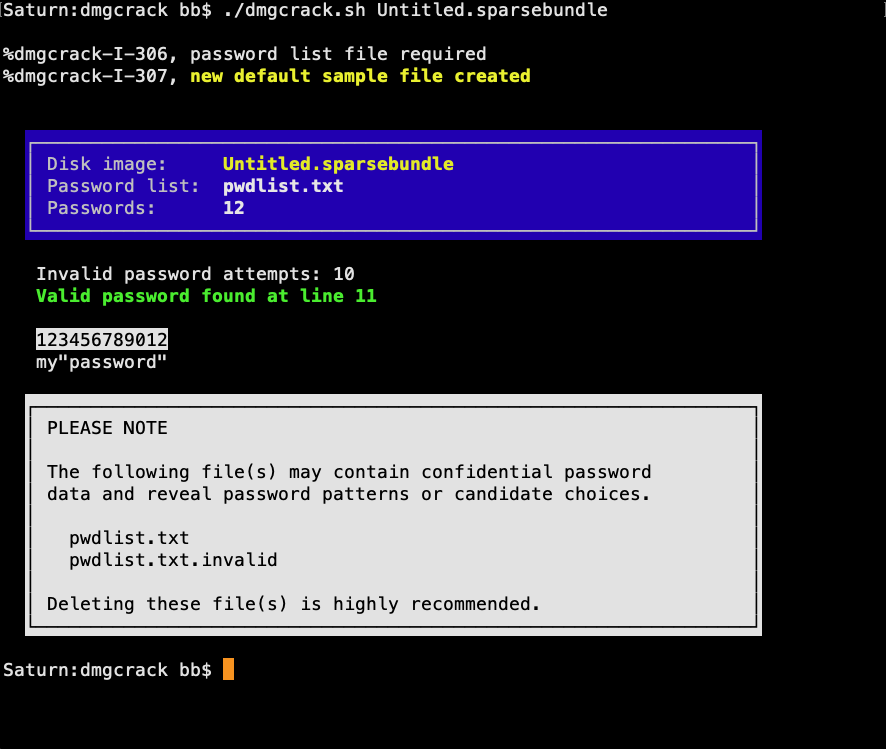
When a valid password is found, it is displayed on screen and the process
stops immediately.
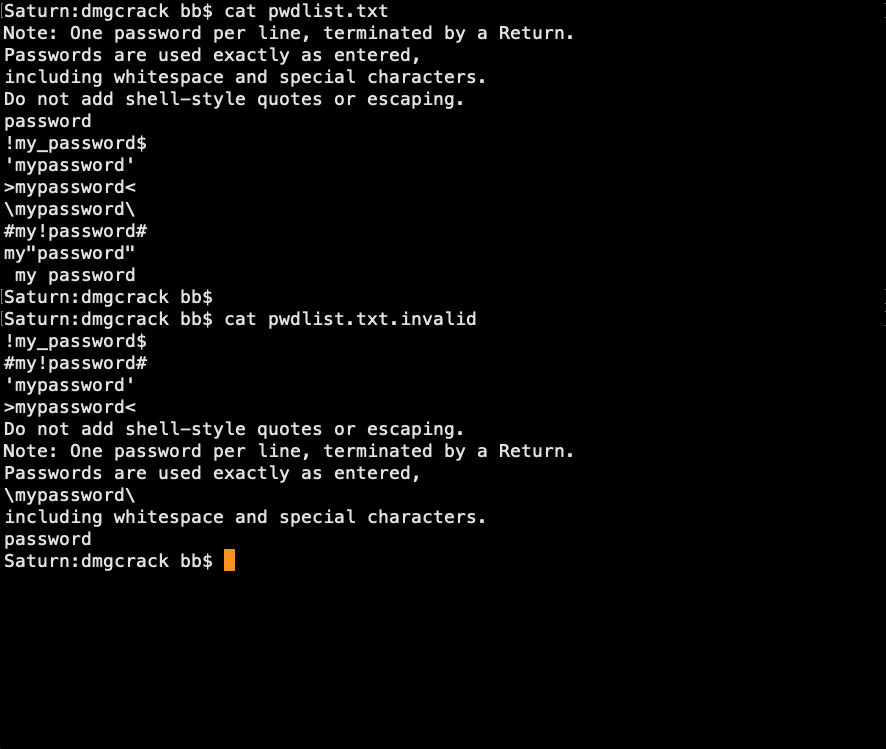
Invalid passwords are written to pwdlist.txt.invalid, allowing you to
review, edit, sort, and reconstruct password candidates more efficiently.
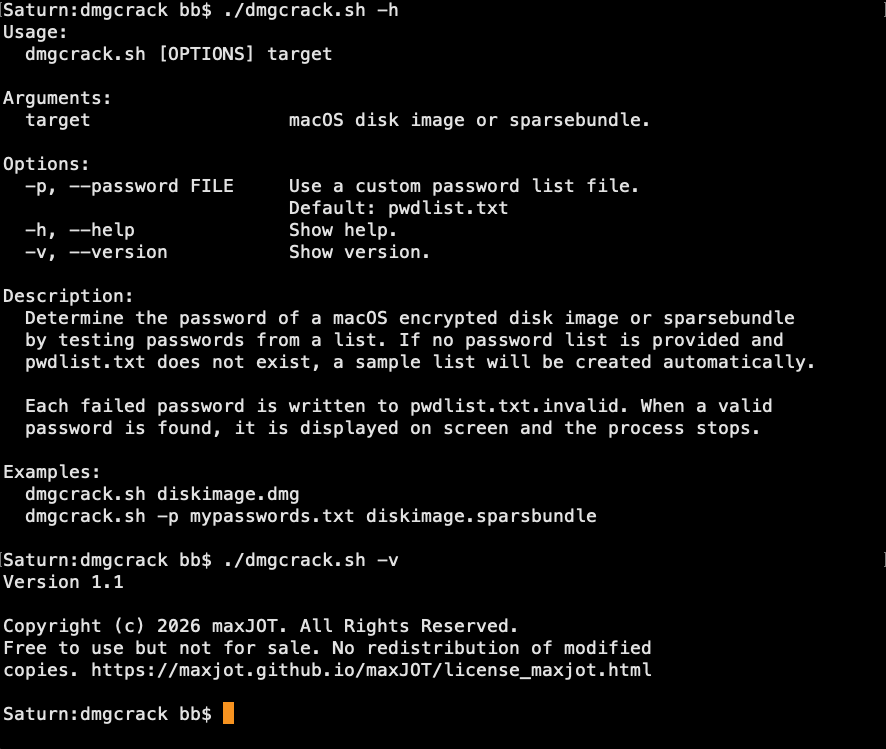
The default password list file is pwdlist.txt, located in the same directory
as dmgcrack. If the file does not exist, a sample password list is generated
automatically and can be edited manually. A custom password list can also be
specified using the -p command-line option.
|
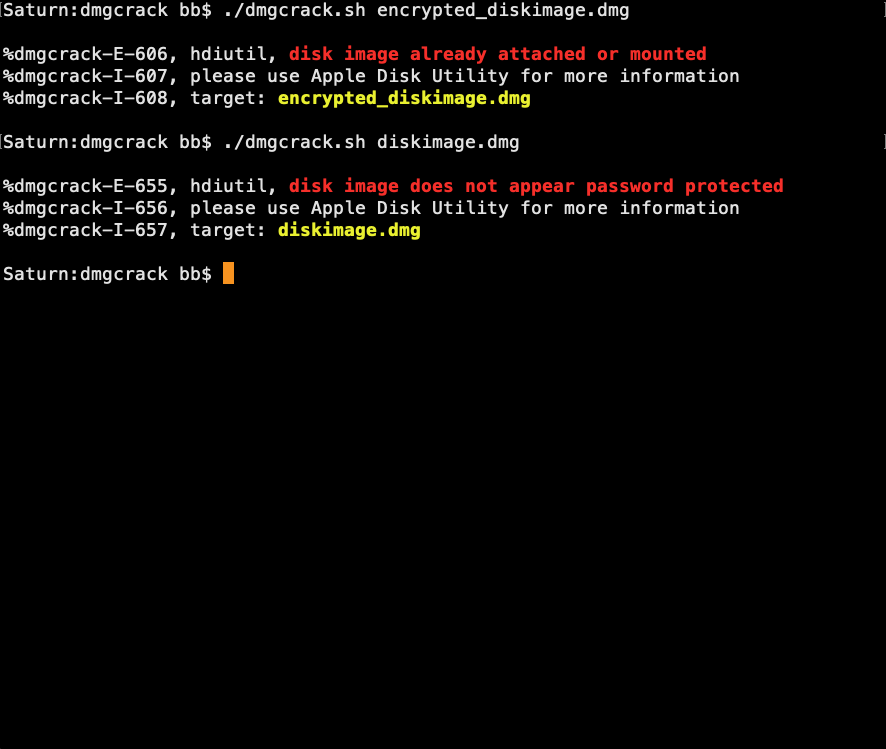
The program does not attempt to verify, repair, or mount the filesystem, as those tasks are secondary once the correct password has been identified. Remembering a password often involves more than recalling the exact phrase. Typing rhythm, pauses, and even the sound of pressing a particular key can help trigger memory of the correct password. Beware that repeated password attempts may interfere with memory of the current password. It is therefore advisable to make a temporary note of any important passwords before starting. |
|
macOS Security Note
macOS attaches a quarantine attribute to downloaded ZIP archives and propagates it to extracted files. Shell scripts executed from Terminal are unaffected. However, macOS Gatekeeper intervenes when launching or opening quarantined executable content from the Finder. To remove the quarantine attribute: Or download via Terminal |
History
| Version | Changes | Date |
|---|---|---|
1.2 |
|
27-MAY-2026 |
1.1 |
|
25-MAY-2026 |
1.0 |
|
10-MAY-2026 |